



Ever noticed how often your phone interrupts your day?
Checking directions while walking, answering a quick call, translating a sign, recording a note, or searching for simple information — these small moments can quickly pull your attention away from what you’re doing.
That’s why AI smart glasses have become one of the most talked-about wearable devices in 2026. But after comparing different models, we found that not every pair is practical for everyday use. Some feel too heavy, some have limited battery life, and others pack in advanced features but are not simple enough for daily users.
For this review, we focused on the features that actually matter in real life: lightweight comfort, reliable battery life, clear calling, easy controls, AI assistance, real-time translation, and whether the glasses are simple enough for both younger users and seniors.
Below, we compare 5 popular AI smart glasses to see which ones are truly worth considering.

Daniel Wright
AI & Wearable Technology Specialist
What You Should Look For
Function and Application Matching
Before you buy, get clear on your real use case. Need AR navigation? Prioritize a sharp, stable display. Using it for work calls and quick info? Look for smooth voice control, notifications, and reliable connectivity—so your glasses solve friction instead of adding it.
Comfort and All-Day Wearability
If it’s not comfortable, you won’t wear it. Check weight balance, nose pads, and frame pressure. The best smart glasses disappear on your face—no headaches, no slipping, no “I can’t wait to take this off.”
Battery Life and Charging
Battery specs on paper don’t match real life. Look for practical all-day performance, fast charging, and a charging case that actually extends usage—especially if you plan to use voice features often.
Device Compatibility
Make sure it plays nicely with your phone, apps, and ecosystem. Stable Bluetooth/Wi-Fi, smooth pairing, and consistent app updates matter more than “cool features” you’ll rarely use.
What You Should Avoid
Function Over Fashion
Trendy doesn’t always mean useful. It’s easy to get pulled into hype and overpay for features you don’t need. Buy for your workflow: if it’s for work, skip gimmicky gaming add-ons; if it’s for fun, you don’t need enterprise-level complexity.
High Price, Low Value
Expensive doesn’t guarantee better. Watch out for products that charge premium pricing but deliver basic performance—especially weak displays, unstable software, or limited everyday usefulness.
No Long-Term Support
Smart glasses need ongoing updates. Avoid brands with unclear firmware support, no warranty clarity, or poor customer service. Without updates, “smart” becomes outdated fast.
Ignoring Privacy Risks
Cameras, mics, and always-on sensors are sensitive. Choose products with clear privacy controls, indicator lights, permission settings, and transparent data policies—so convenience doesn’t become a liability.
Big-name brands often add a 40–60% “premium” to AI smart glasses. And while recognizable names can feel safer, our research shows that much of that extra cost goes to branding—not real-world performance.
In day-to-day use, two things decide whether smart glasses feel amazing or annoying: display clarity and battery endurance. The good news? Recent AR breakthroughs have made these features far more accessible, meaning you can now get impressive AR functions without paying luxury-level prices.
That said, going “too cheap” is where most people get burned. Budget models may look tempting on paper, but in real use they often fall short—unstable connections, weak visuals, poor audio, and battery that doesn’t last. Our testing confirms the best-value AI smart glasses deliver reliable performance without the brand-name markup.
Our evaluation team includes AR specialists, long-time wearable tech users, and everyday professionals who rely on hands-free tools. We run consistent, real-world tests to show what actually matters—so you can pick the right model without guessing.
We tested top-rated AI smart glasses across different price ranges and brands, focusing on practical features (navigation, calls, voice control) and next-gen AR capabilities that improve daily life.
During testing, we measured display sharpness, audio clarity, comfort for extended wear, camera performance, and battery life under real usage—the factors that most directly affect satisfaction.
We also consulted AR professionals and reviewed verified user feedback to keep our rankings objective, balanced, and grounded in reality.
Keep reading for our latest AI smart glasses rankings—built to help you find the best fit for your needs and your budget.
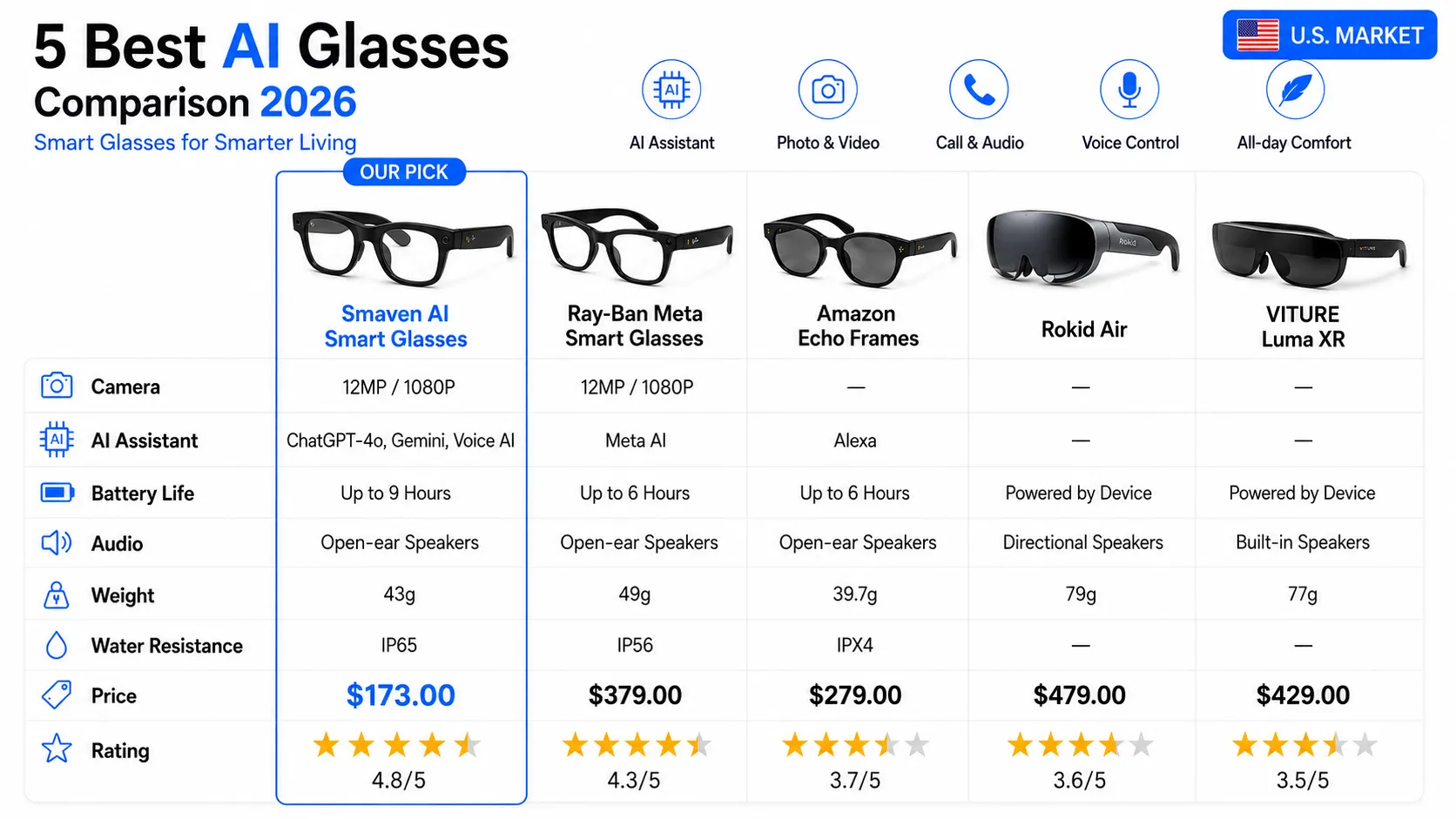
Over the past several months, we’ve put a wide range of AI smart glasses through real-world testing—covering different budgets, use cases, and daily conditions. We combined hands-on evaluations from experienced reviewers with feedback pulled from hundreds of verified user reviews. After scoring each model on comfort, display clarity, battery life, and overall usability, these top picks emerged as the strongest options you can buy right now:
Everyday Use & Features
Display & Audio Quality
Connectivity & Compatibility
Comfort for All-Day Wear
Value for Money
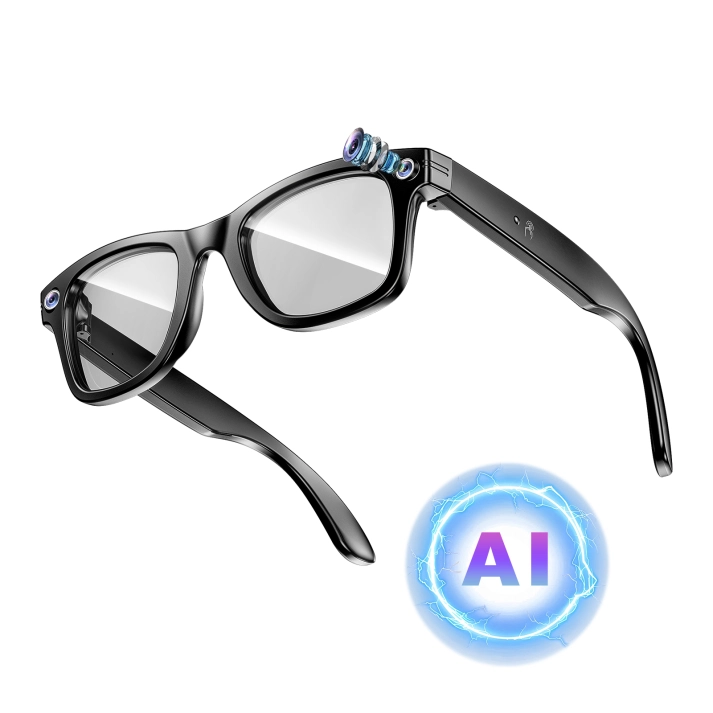
Instead of focusing on expensive AR features that many users may rarely use, Smaven is built around practical daily functions. For users who want to try AI smart glasses without spending around $400 on a premium model, Smaven is a more sensible and budget-friendly choice.
At just 43g, they are noticeably lighter than many smart glasses, making them more comfortable for long periods of wear. Whether you are walking, travelling, working, or simply using them throughout the day, the lightweight frame helps reduce pressure and fatigue. The built-in 720p camera with stabilization is useful for quick daily recording, first-person POV clips, travel moments, and hands-free captures.
Smaven also performs well as an everyday smart assistant. The AI assistant helps with quick questions and simple information searches, while image recognition lets you snap and ask about objects or scenes. Real-time translation is also helpful for basic travel conversations and simple cross-language communication. For daily use, the built-in audio, hands-free calling, wireless music streaming, and directional audio make the experience more convenient without fully blocking out your surroundings.
The controls are easy to learn, which makes Smaven a strong option for beginners, busy users, and seniors. The main drawbacks are that Smaven is mostly available online, and stock may be limited during high-demand periods. Also, users looking for professional video quality or advanced AR display features may prefer a more expensive model.
Practicality and Versatility
Image and Audio Quality
Compatibility
Wearing Comfort
Price
- ✓Natural First-Person POV Recording
- ✓Voice controls
- ✓Comfortable fit
- ✓Reliable pairing with phones
- ×Limited Battery Life During Heavy Use
- ×Higher Initial Cost
- ×Some AI Features Depend on Region and App Support
- ×Occasional delay
- ×Not ideal for users seeking simplicity
Review
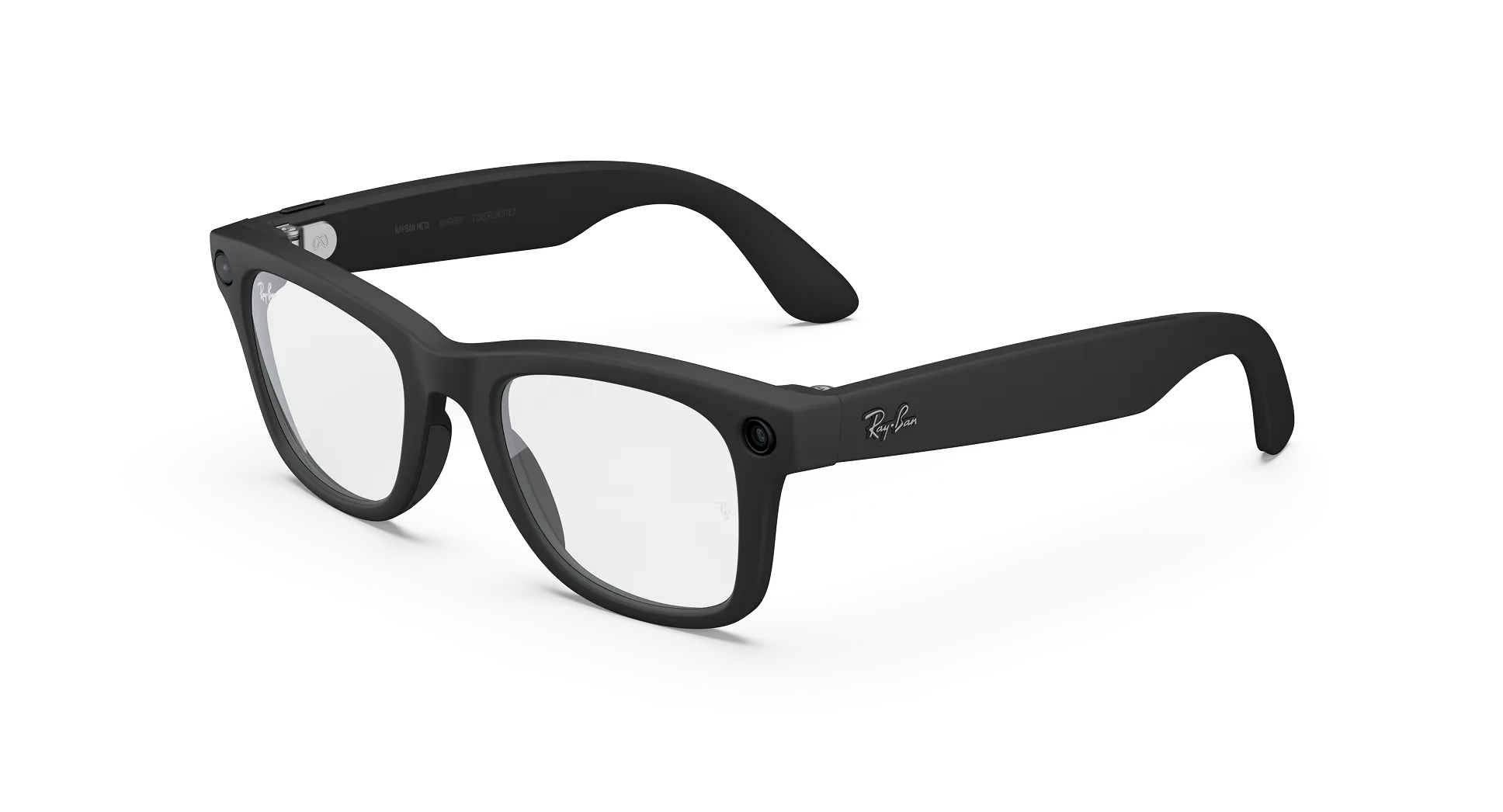
The second-place contender excels in practical usability, providing fast, glanceable information, reliable connectivity, and a display that feels genuinely beneficial rather than a mere gimmick.
Despite its strong performance, the battery life tends to drop quicker when using more demanding AR features. Additionally, certain software features may require specific phone models for full functionality.
Bottom line: Excellent balance of AR functionality and comfort for everyday use. Be sure to check battery life and app compatibility to match your needs.

Practicality and Versatility
Image and Audio Quality
Compatibility
Wearing Comfort
Price
- ✓Built-in Alexa voice assistant
- ✓Open-ear audio for calls and music
- ✓Lightweight everyday frame design
- ✓IPX4 splash-resistant protection
- ×No built-in camera
- ×No AR display or visual features
- ×Limited AI functions outside Alexa
- ×Battery drops faster with heavy audio use
- ×Not ideal for photo or video capture
- ×More audio-focused than AI-focused
Review
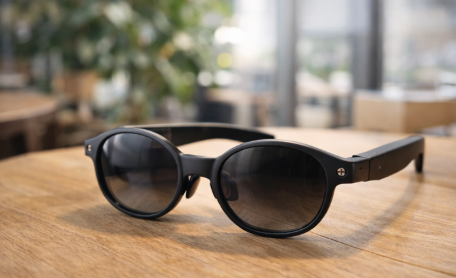
Our #3 pick is best described as smart audio glasses with Alexa built in. They are useful for hands-free voice commands, calls, music, reminders, and quick smart-home control, making them a convenient option for users who already rely on the Alexa ecosystem.
However, they feel more limited compared with newer AI smart glasses. There is no built-in camera, no first-person photo or video capture, no object recognition, and no AR display. For shoppers looking for practical AI features they can use throughout the day, the experience may feel closer to wireless audio glasses than a full AI assistant.
Bottom line: A decent choice for Alexa users who mainly want open-ear audio and voice control, but it is less compelling for shoppers who want affordable AI smart glasses with camera, recognition, and everyday hands-free features.
Practicality and Versatility
Image and Audio Quality
Compatibility
Wearing Comfort
Price
- ✓Lightweight build
- ✓Useful for media and light productivity
- ✓Clear visuals
- ×No diopter adjustment
- ×Wired-only connection
- ×Not designed for everyday AI assistance
- ×No built-in camera
- ×Less convenient for quick daily use
- ×More entertainment-focused than practical
Review
This model offers reliable performance for entertainment and light productivity tasks, featuring clear visuals and a comfortable fit that allows for long-term use without causing discomfort. Its compatibility with a wide range of devices ensures a straightforward setup process.
However, the wired-only connection and lack of diopter adjustment could be significant drawbacks for some users, especially those who require vision correction. In bright settings, the non-dimming sun lens may lead to glare, while the audio performance remains more functional than outstanding, particularly in noisy environments.
Bottom line: This device is a solid choice for media consumption and basic tasks, but those looking for wireless convenience or more advanced AR features may find better options elsewhere.
Practicality and Versatility
Image and Audio Quality
Compatibility
Wearing Comfort
Price
- ✓Large, bright virtual display
- ✓Great for movies and gaming
- ×Much higher price point
- ×Requires a compatible USB-C device
- ×Less practical for everyday AI assistance
- ×No built-in camera for first-person capture
- ×More focused on entertainment than daily use
- ×Accessories may be needed for the best experience
Review
This option delivers a strong visual experience for users who mainly want private screen viewing. It performs well for watching content, gaming, and travel entertainment, making it a good fit for shoppers who prioritize immersive display features.
The trade-off is practicality. For everyday use, it feels less flexible than simpler AI smart glasses because it relies on a compatible device and does not focus on quick daily features like hands-free capture, object recognition, voice support, or lightweight on-the-go use.
Bottom line: A good entertainment-focused pick, but its higher price and display-first design make it less practical for shoppers looking for affordable AI smart glasses for daily life.
How we tested
All Usage Scenarios
We used each pair during work meetings, outdoor activities, social events, and daily commutes to ensure they perform well in all real-world situations.
Smart Features Testing
We tested how well each pair performed when using AI recognition, voice commands, and photo capture. Good smart glasses need to respond quickly and deliver accurate results for practical daily use.
In the field
Performance in real conditions is paramount. We field-tested across diverse environments, including busy urban centers, quiet office spaces, outdoor hiking trails, and crowded public transportation.
Durability Assessment
We tested for durability as well. Every model we recommend is water-resistant and built to withstand daily wear and environmental challenges.